A couple hiking a mountain trail above a forest and lake
Family safety, simplified

One tap tells your family
you're safe.

Set a recurring check-in. Miss one, and your family and trusted contacts are alerted automatically — with your last known location, so they know where to find you.

How it works

Three steps to
complete peace of mind.

No setup headaches. Get protected in under a minute.

01

Set your interval

Choose how often you need to check in — every hour, every 12 hours, daily. You decide what feels right.

02

Check in regularly

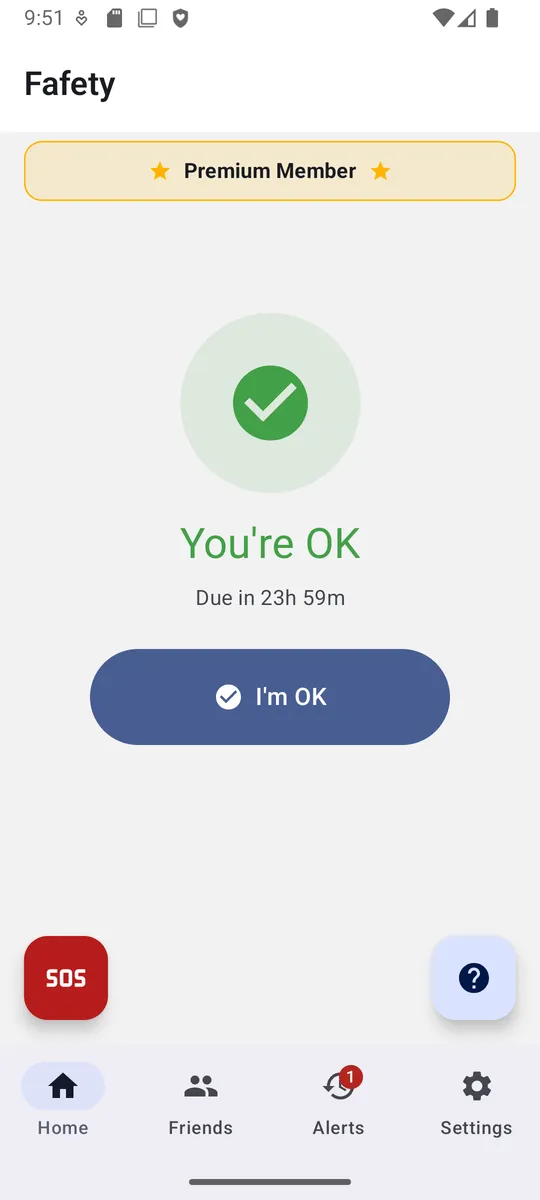
One tap confirms you're okay. Fafety resets your timer and keeps your contacts reassured silently in the background.

03

Miss one — they're notified

If you miss a check-in, your chosen contacts receive an immediate alert. No manual action required on your end.

Features

Built for the moments
that matter most.

Everything you need to stay protected — and nothing you don't.

Optional location sharing

Enable it and your contacts see your last known location only when you're overdue. Never silently, never always — your choice, every time.

End-to-end privacy

GPS coordinates are encrypted before they reach the database. Your password is stored as a secure hash — we cannot read it.

Trusted contacts

Add the people you trust. They receive alerts only when something's wrong — no constant pinging, no unnecessary worry.

Remote ring

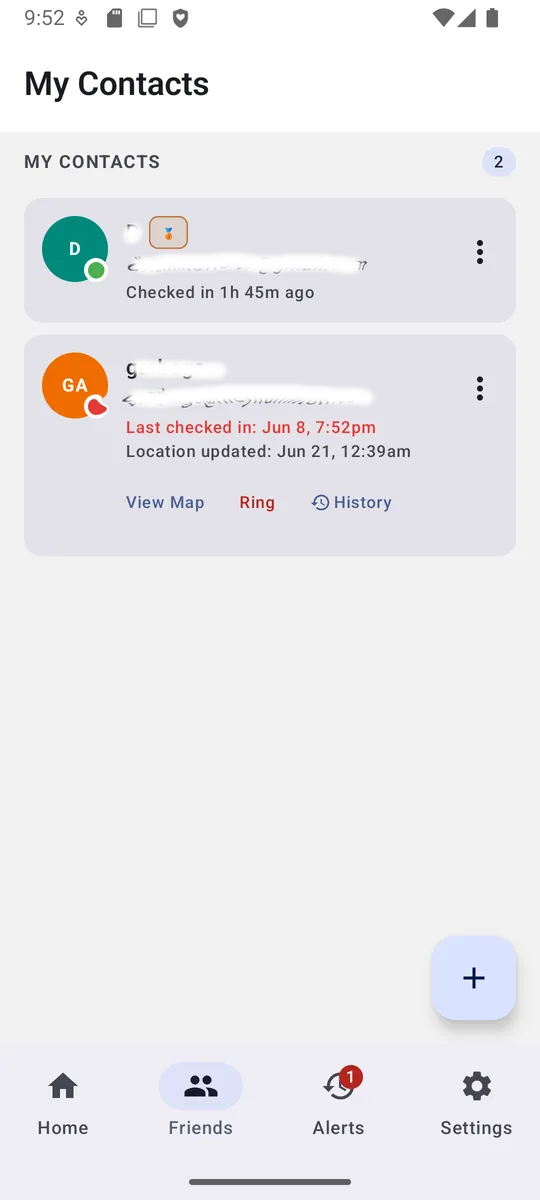
If you haven't checked in, your trusted contacts can ring your phone remotely to help you find it — even if it's on silent.

Light & dark mode

Fafety adapts to your preference — choose light, dark, or let it follow your system setting automatically.

Block list

Keep unwanted contacts from being added to your circle. You stay in full control of who can see your check-in status.

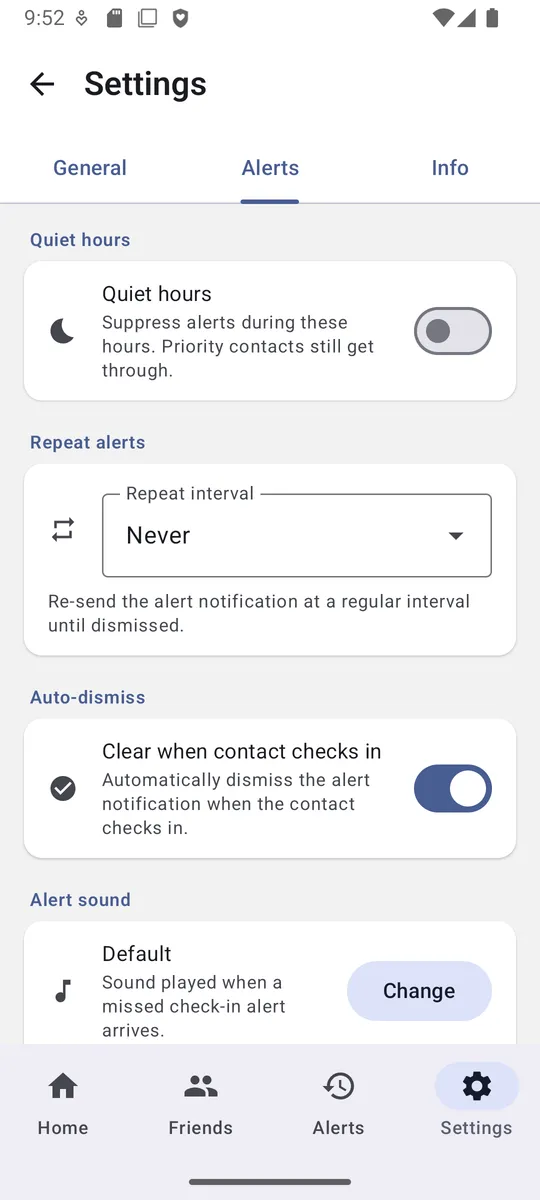
Quiet hours

Set a window where the app stays silent — no sounds, no notifications interrupting your sleep. You decide when Fafety can make noise.

Priority contacts

Mark certain contacts as priority and they'll always get through — even during quiet hours, when it truly matters.

The app

See it in action.

Clean, simple, and built around your family.

Fafety home screen showing a green You're OK check-in status and the I'm OK button
Fafety contacts screen showing each contact's last check-in with options to view location, ring, or see history
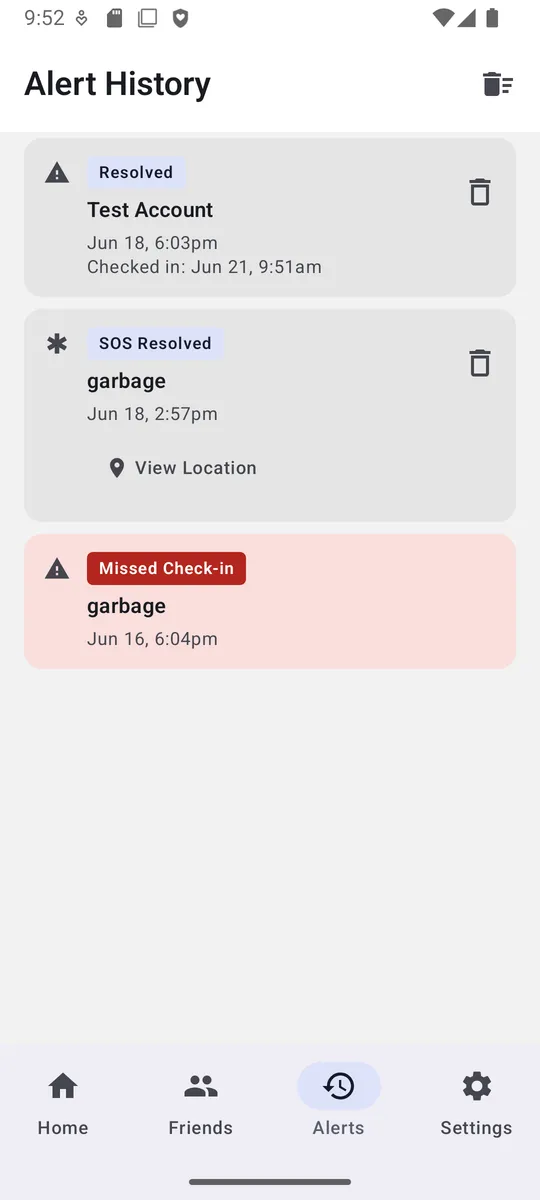
Fafety alert history showing resolved check-ins, a resolved SOS, and a missed check-in
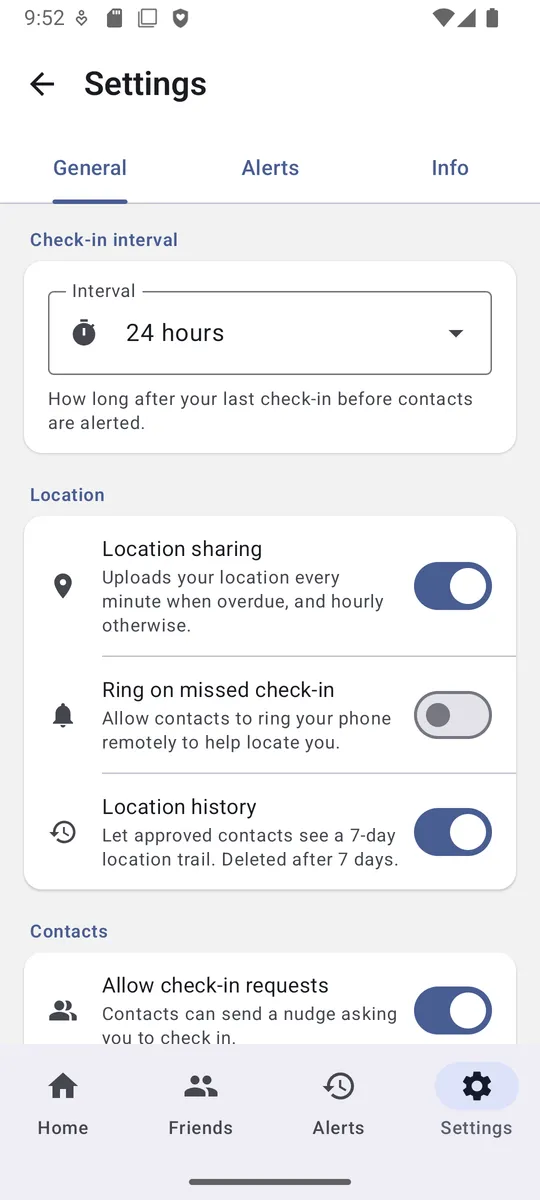
Fafety general settings — check-in interval, location sharing, ring on missed check-in, and location history
Fafety alert settings — quiet hours, repeat alerts, auto-dismiss, and alert sound

Privacy first

We collect only
what we need.

Fafety is free, supported by ads you can remove anytime with Premium. We never sell your personal information, and performance analytics run only if you allow them in Settings.

  • Passwords stored as a secure hash — unreadable by anyone
  • GPS data encrypted before touching the database
  • Location records auto-deleted after 7 days
  • Your personal information is never sold
Read the full Privacy Policy →
GPS data encryption
Location data encrypted before it reaches the database
Secure password hashing
One-way — no one can recover your password
Performance analytics only
Used to improve the app — opt out anytime in Settings
Right to deletion
Delete your account and all data in one tap
Download

Your safety net,
in your pocket.

Free to download. No subscription required.

App Store Coming soon
Get it on Google Play